DeusPen for iPad and Apple PencilNo ink on the glassPressure, tilt and hover reach your computer$14.99, onceOne purchase, everything includedThe companion is freeDeusPen for iPad and Apple PencilNo ink on the glassPressure, tilt and hover reach your computer$14.99, onceOne purchase, everything includedThe companion is free
Each one says exactly what it is and how it was made. No staged footage, no edited strokes.
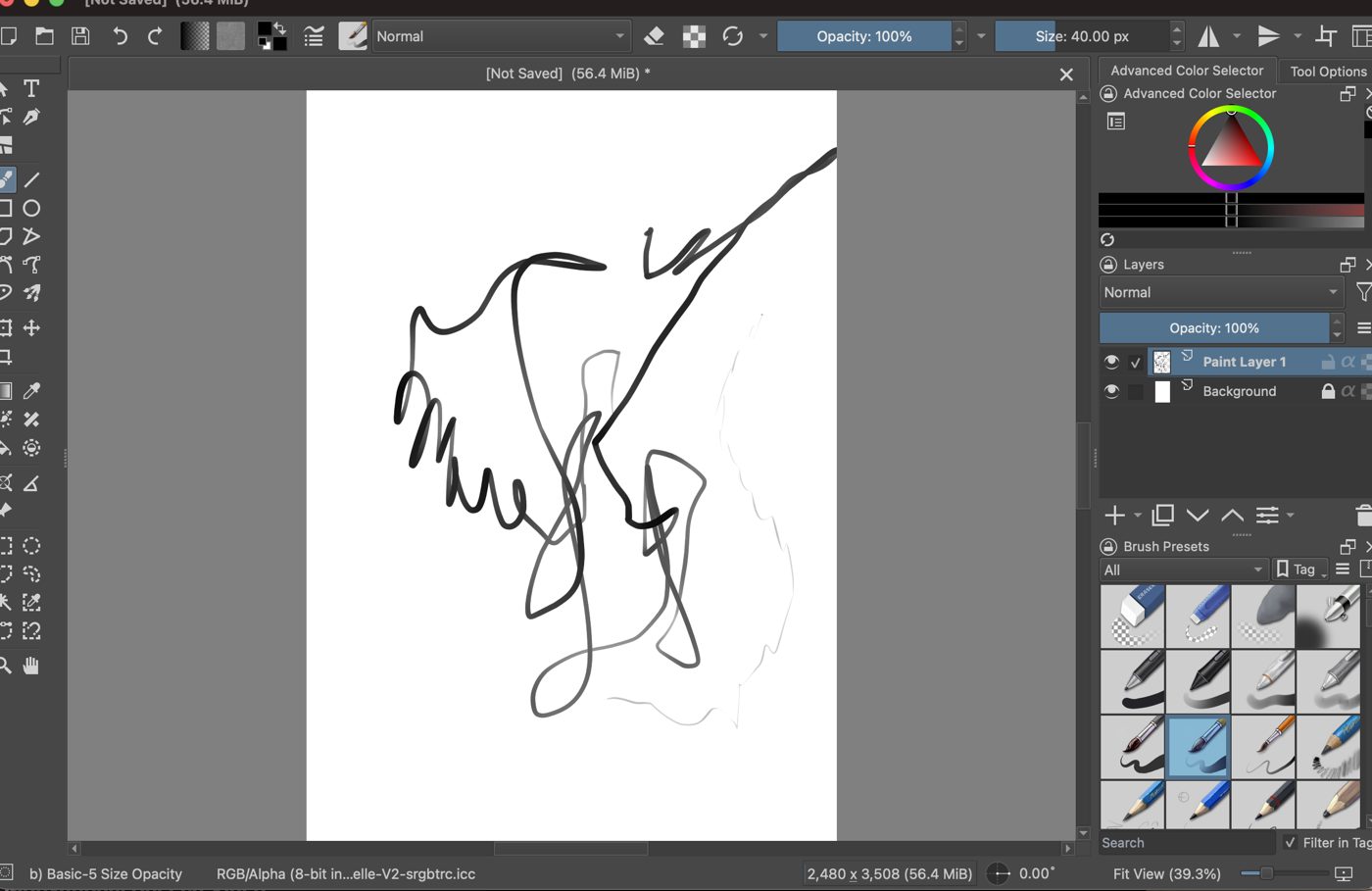
1. Pressure in Krita, drawn with Apple Pencil
Real test screenshotDrawn freehand with Apple Pencil Pro on an iPad Pro 13″ (M5), sent through DeusPen to Krita on a MacBook Air (M2) with macOS 26, using Krita's "Basic-5 Size Opacity" brush. Pressing harder gives thicker, darker lines. Screenshot from our test on 25 September 2026, cropped, otherwise unedited.
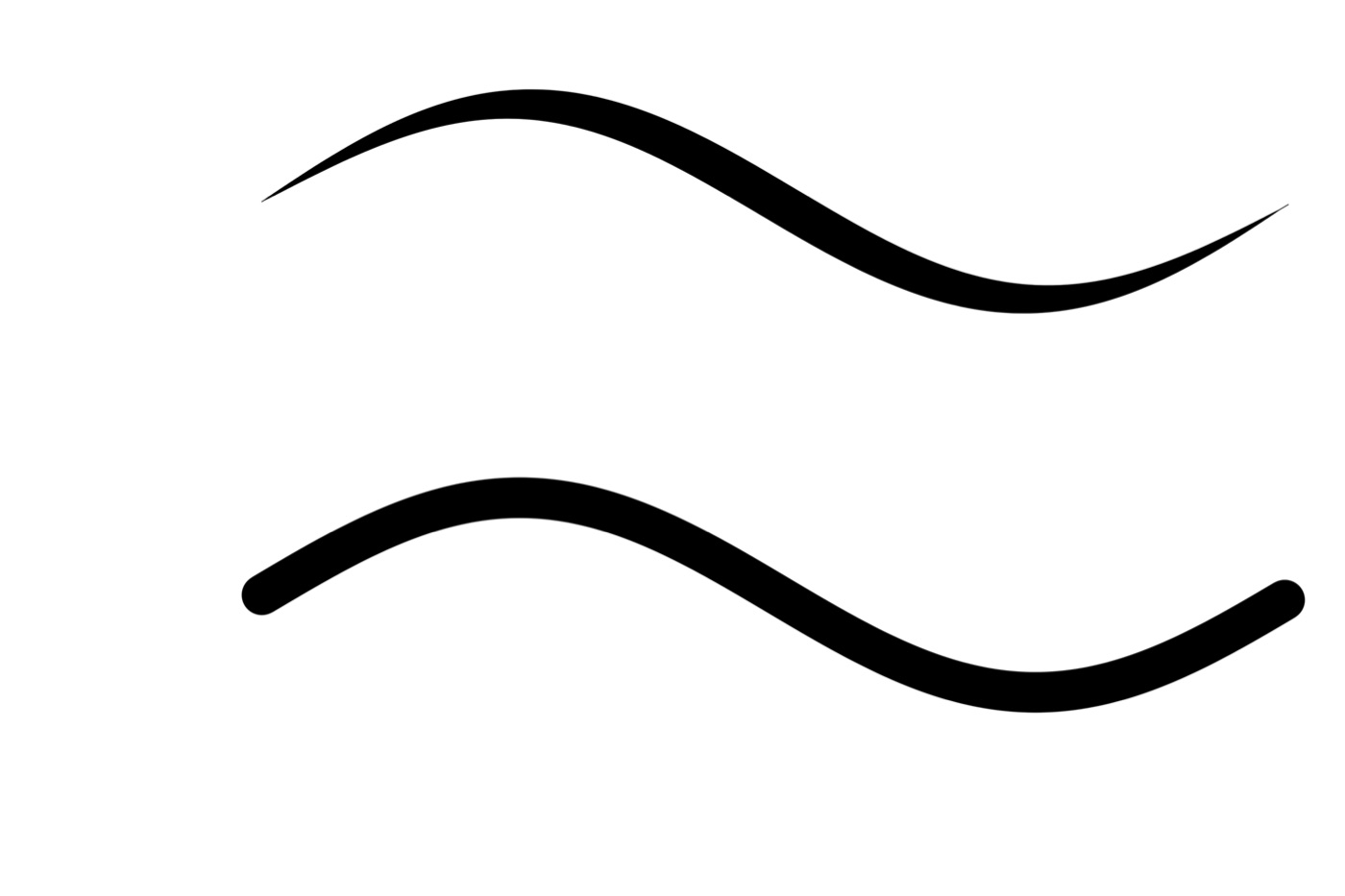
2. Photoshop reads DeusPen's pressure
Real test outputAdobe Photoshop 2026 (27.10) on a MacBook Air (M2). Both strokes are the same machine-made gesture from our test tool, not drawn by hand. The top stroke was sent the way DeusPen sends your Pencil, as tablet input with pressure, and Photoshop tapers it. The bottom one was sent as plain mouse input and stays one width. Exported from our test on 24 September 2026.
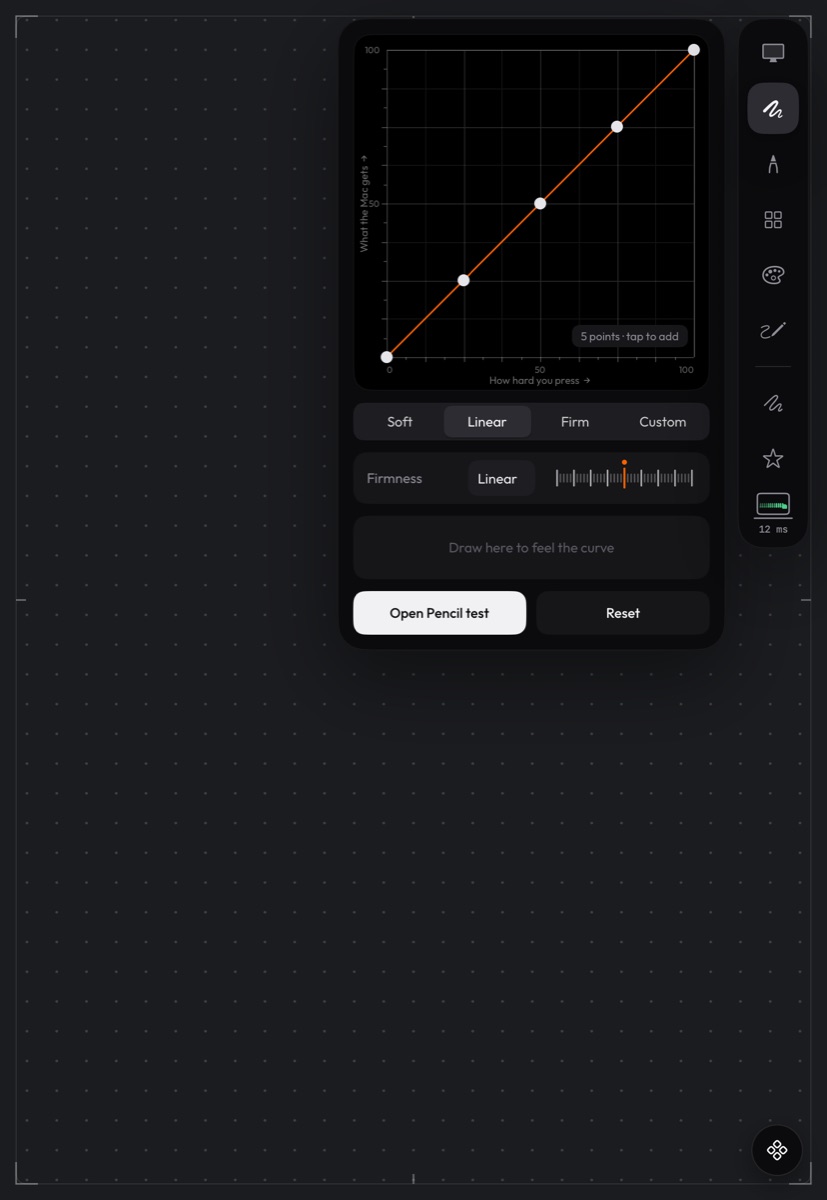
3. Shaping pressure on the iPad
IllustrationAn illustration, not a recording: the pressure panel rendered from the iPad app's interface code in Apple's iPad simulator. Pick Soft, Linear or Firm, or drag the points into your own curve, and draw in the panel to feel it before you draw on the Mac.
Screen recordings of real drawing sessions will be added here. See compatibility for exactly what we have tested.